
Acuity Jobs
ACUITY SIGN UP SYSTEM
Acuity Scheduling is a user-friendly online tool that allows individuals to book and manage appointments efficiently. We use it when it’s vital for a student to schedule a specific time instead of arriving in a large group, such as a class or homeroom. The most common use of Acuity is for senior sessions, but it is also employed during Picture Days when we are photographing staff only.
BOOKING SENIOR CAP & GOWN WITH SGP
Signing up for a session is essential for high school seniors, as their schedules typically have limited windows for open times. To make this easier, we provide a booking link via Acuity.
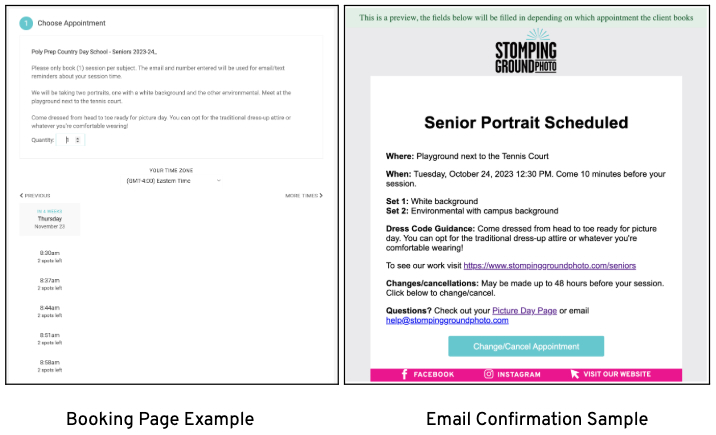
A session sign-up allows seniors to keep track of their portrait session appointments. Additionally, the system sends reminders via email and SMS, ensuring they don’t miss an important session. Lastly, signing up allows them to reschedule or cancel appointments as needed, making the process as convenient as possible.
COMMUNICATING HOW TO SIGN-UP
We encourage students to sign up for a session in two main ways: by emailing families (if an email roster is provided) or by having the Picture Day Contact direct families to the Picture Day Page with the booking link. The best method is a combination of both.
If the school provides emails, weekly booking reminders are sent out with a “Book A Session” button directing them to the sign-up page. If not, the Picture Day Contact emails families the Picture Day Page where the booking link is located.


SIGN-UP LINK
Students can select their preferred time using an individualized link for your school’s sign-ups. Sessions are accessible for a determined period leading up to Picture Day. If we have data rosters, the sessions can remain open until Picture Day. If we do not have data, sessions close 2-3 days in advance. Confirmations are sent by email.
Important! Parents & students should communicate with each other to only sign up once to avoid duplicate sessions.
SESSION REMINDERS
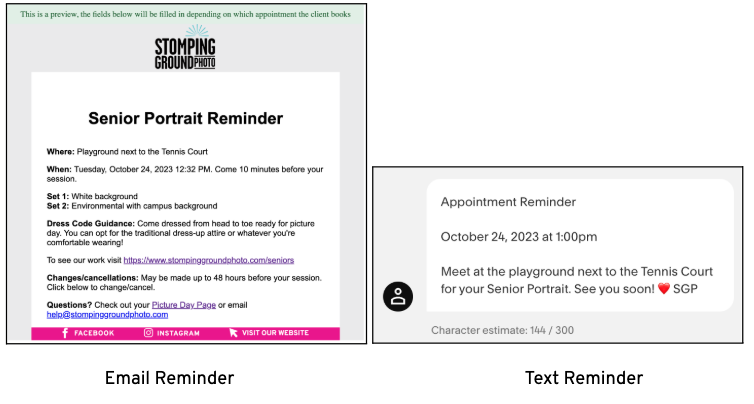
There are email and text reminders that go out regarding the session booked at various intervals.
Reminder timings:
- Email - 24 hours before
- Text - 3 hours before
- Email - 1 hour before
PREPARING DATA FOR PICTURE DAY
If data rosters are provided without emails, we can export the emails collected in the Acuity sign-up and import them into our gallery system called Workflow. Coordinate with your post producer to handle this task. It's worth noting that the emails provided are typically student emails but can still be useful if no parent emails are provided.
Additionally, the final schedule is exported by the Acuity Manager (usually Dana), and the Account Manager ensures it is linked within the project so that the photo team and Picture Day Contact have access.